How to Clear Cache On Jupiter Smart Player APP
Click on "Settings" As shown below.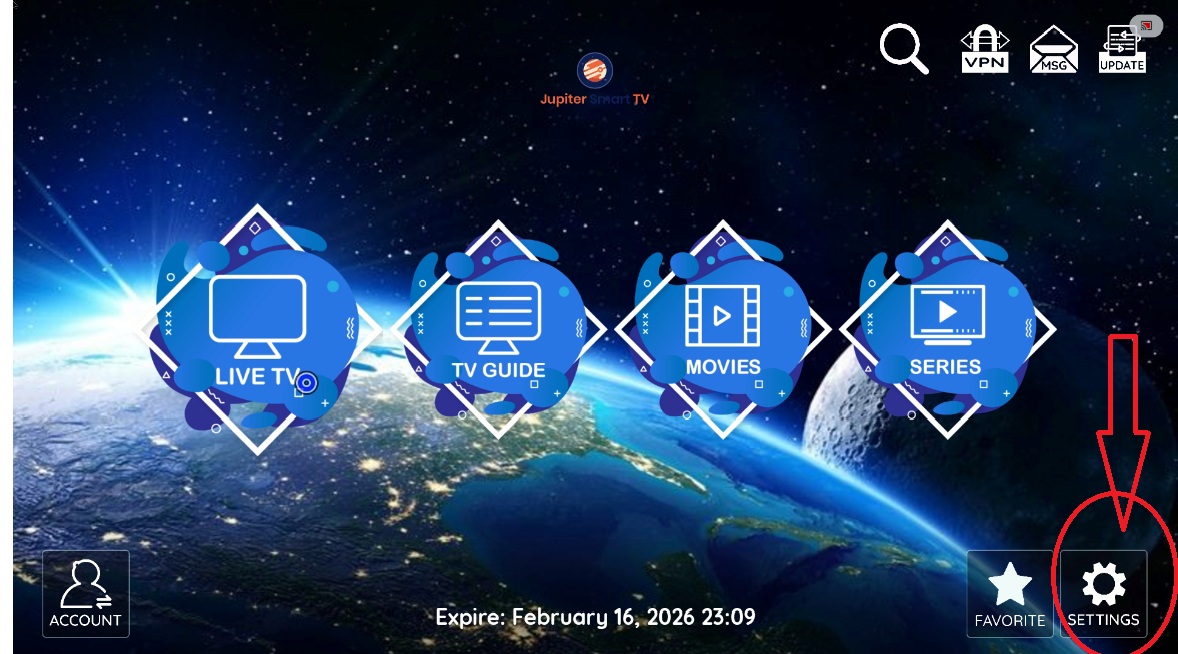
2. Then go to "Clear Cache" as shown below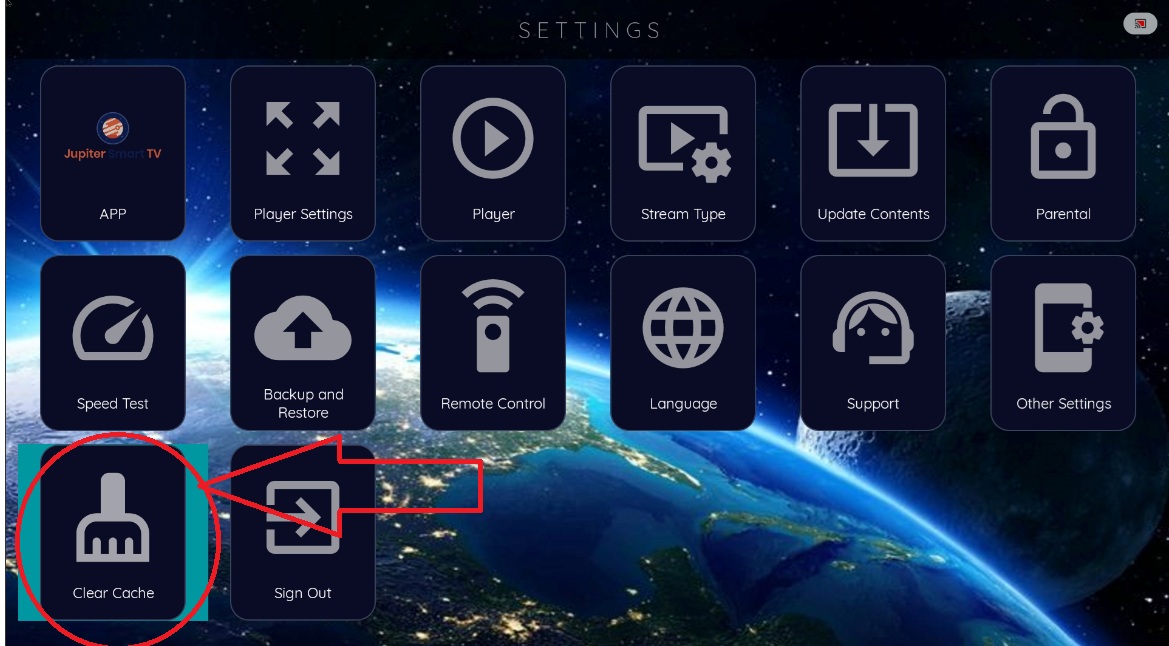
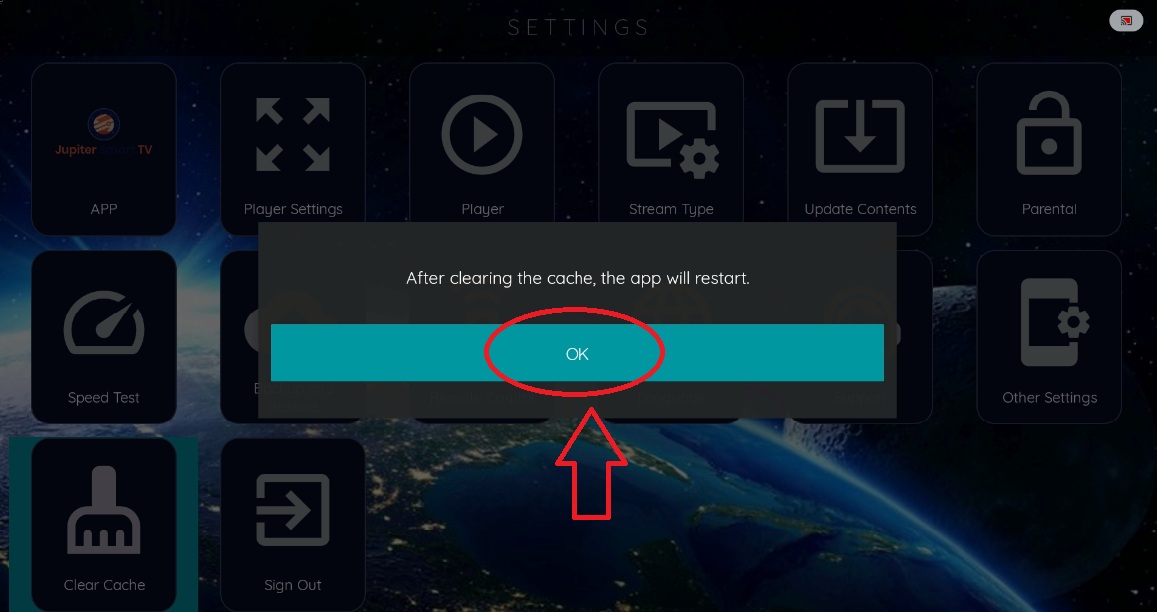
3. Then Select OK and the app will restart
Best Quality IPTV Service

At Jupiter Smart TV, we offer an exceptional IPTV streaming service that is accessible globally with Over 10,000 Live Stream Channels +VOD Movies+ TV Guide.